
TRAE Configuration Guide
This guide shows how to add an OmniRouters custom model to TRAE. TRAE is an AI development tool for developers with international and China editions; this guide follows the desktop client's model settings interface.
Before you start, download TRAE International or download TRAE China, and prepare an OmniRouters API key and the model ID you want to use.
1. Open model settings
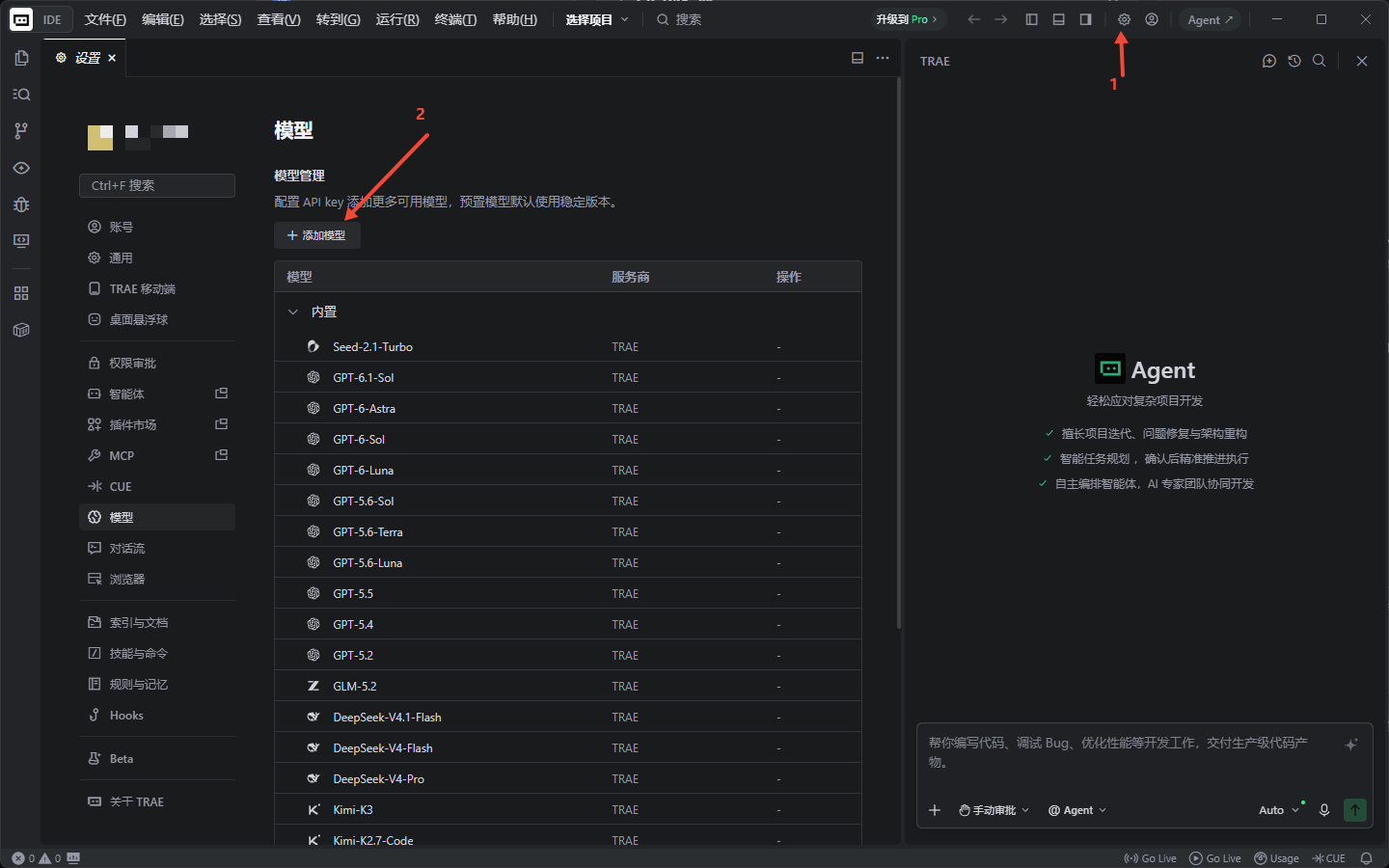
Click the Settings icon in the upper-right corner of TRAE. Select Models in the left sidebar, then click Add model.
2. Select a custom model
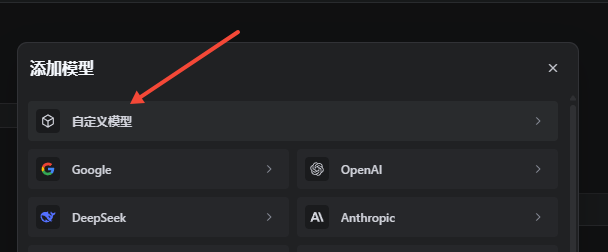
In the Add model dialog, select Custom model.
3. Enter the API settings
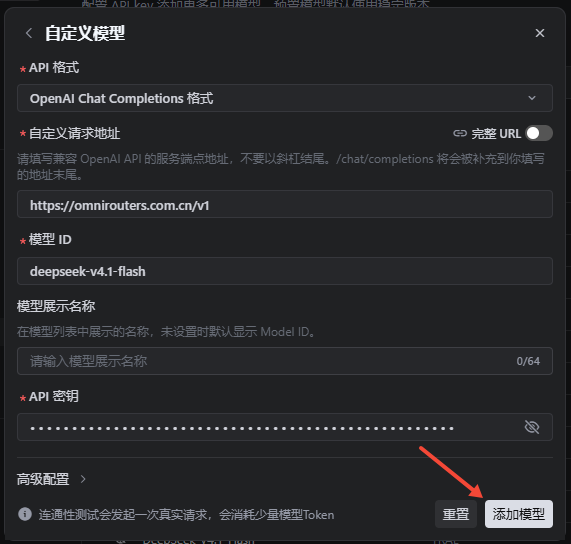
Fill in the custom model form as follows:
| Field | Value | Description |
|---|---|---|
| API format | OpenAI Chat Completions | OmniRouters provides an OpenAI Chat Completions-compatible API. |
| Custom request URL | https://omnirouters.com/v1 | Use the OmniRouters API base URL and leave Full URL disabled. |
| Model ID | Your OmniRouters model ID | For example, gpt-5.5, claude-sonnet-4-6, or another model enabled for your account. |
| Model display name | Custom name | Optional; the model ID is usually shown when this is empty. |
| API key | Your OmniRouters API key | Get it from the OmniRouters console and keep it private. |
Click Add model in the lower-right corner when finished.
Use
https://omnirouters.com/v1as the custom request URL. Do not put the API key in the URL or append/chat/completionsa second time.
4. Use the model
Return to the TRAE workspace and select the model you added from the model selector. You can then use OmniRouters in Agent or chat workflows.
Troubleshooting
- 401 or authentication errors: Check that the API key is correct and active, and that it was entered in the API key field.
- Model not found: Check the model ID, including its capitalization and hyphens, and confirm that the model is enabled for your OmniRouters account.
- Invalid request URL: Confirm that the URL is
https://omnirouters.com/v1and that Full URL is disabled. - Protocol incompatibility: Confirm that the API format is set to OpenAI Chat Completions.